

What your closing routine reveals about workplace security
Who checks the back door when the last shift ends? Who knows that a cleaner will arrive at six? And whose phone rings if a sensor trips at midnight? These sound like small details until a busy week leaves them unclear. A workplace can have locks and still lack a plan. One staff member may assume the alarm is set. Another may leave stock near an unlit loading bay. Neither gap is solved by adding more kit without thought. The useful starting point is the handover between people. Trace what happens from the last sale to the first delivery. Note which doors stay open late and which rooms hold stock. Then ask where a camera or sensor would help.
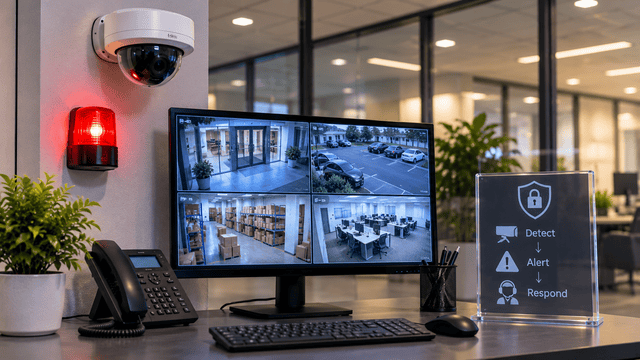
A closing routine supported by business security cameras should give staff fewer loose ends to chase. CBS Industries serves businesses across the Central West from its base in Orange. Its camera, alarm and network services can form part of that discussion. Bring the team into it before you pick equipment. The person who takes deliveries may spot a gap the manager misses. The late shift may know where headlights wash out a view. Ask what staff need to see and what they need to do. Cameras can help explain an event, while alarms can flag a possible intrusion. Both need a clear response plan to be useful. This means named contacts, simple controls and checks that fit the working day. Aim for a setup your team understands when things get busy.
How CCTV camera systems shape IP security camera installation
The NSW Bureau of Crime Statistics and Research reported a 10.4% rise in retail theft over two years to June 2026. It was the only one of 13 major crime categories to rise significantly. Most major categories stayed stable. The result concerns recorded NSW crime, not every workplace’s risk. For a shop, it gives stock loss a place in planning. Your own incident log should guide the details.
CCTV camera systems need views that match the task. A doorway shot may help show who entered. A loading bay view may help check a disputed delivery. Plan IP security camera installation around lighting, cable routes and storage. Keep camera clocks aligned so clips are easier to compare. Test faces in motion rather than judging a still image. Include the night shift when you test the final camera positions.
- Check whether stacked stock blocks a key view.
- Ask staff to find and export a test clip.
- Confirm which features still work if the internet connection drops out.
What wireless alarm systems and Ajax security systems do
Figures highlighted by the Australian Retail Council show 96,008 offences at Victorian retail locations in the year to June 2026. That works out to about 263 offences a day. The total includes several crime types, not theft alone. These figures concern retail sites, rather than all Australian businesses. They underline why staff safety deserves attention alongside stock. An alarm plan should help people seek support safely.
Wireless alarm systems can reduce the need for sensor cabling. They still need careful placement and signal checks. Ask how thick walls or metal shelving affect coverage. If comparing Ajax security systems, check the exact hub and sensors proposed. Battery backup and communication options vary by model. Learn what happens when power or the main connection fails.
- Confirm who receives an alert during each shift.
- Check battery warnings and assign someone to act on them.
- Practise safe responses without asking staff to confront an intruder.
What to check before your security alarm installation
Fit business alarm systems to the way your site operates. Security alarm installation should include a walkthrough with the people who use it. Settle these three points before signing off.
1. Who can arm each area?
A cleaner may need access to one room only. Ask whether separate areas can stay armed during late work. Give each authorised person their own code or account.
2. Where does an alert go?
A phone notification is not the same as professional monitoring. Confirm who checks an alert when the owner cannot answer. Agree on the next contact and a safe escalation path.
3. What will the full service cost?
Request separate figures for equipment, labour and any ongoing monitoring. Check whether callouts, battery changes or software support cost extra. Ask for the service terms in plain language before you commit.
Run a closing drill while the installer is present. Let staff set the alarm and resolve a test fault. That practice can reveal a confusing step before it causes trouble.
How to leave your workplace with a plan you can trust
A secure workplace needs tools that fit its daily rhythm. Clear footage helps with review, while a well-set alarm can bring a problem to attention. Staff still need to know what comes next. Keep contacts current, review access when roles change and check the system after layout changes.
For businesses in Orange and the Central West, CBS Industries can help discuss how cameras, alarms and connectivity fit together. Start with the shift that leaves you with the most unanswered questions. Invite that team to share what would make closing feel clearer. Their everyday knowledge could be the most useful thing you bring to the conversation.